
Tap Strike

About this game
Tap Strike Is A Mobile Clarity Check
Tap Strike is one of the better IDEAL Gaming demos for checking whether fast interaction stays readable on your phone. The game is built around quick taps and rapid reward feedback, so the important question is not only whether it loads. The important question is whether you can follow what happened after several fast actions.
IDEAL lists Tap Strike with Medium volatility and a maximum multiplier of 9999x. Compared with the high-volatility IDEAL titles, this makes Tap Strike a useful middle test: still capable of sharp reward swings, but easier to use as a short screen and pacing check.
The SlotLab version uses virtual credits. Use it to learn the rhythm and interface comfort before deciding whether this type of fast game is worth trying with real money on another site.
What To Watch During The First Minute
Before playing quickly, look at the control area, reward numbers, and any symbol or meter that changes after a tap. A fast demo can feel clear at first and become confusing after several rounds, especially on smaller screens. If you cannot explain what changed after a reward, slow down and read the rules again.
The best Tap Strike test is simple: tap slowly, watch the result, and decide whether the next action is obvious. If the game needs you to react quickly but the numbers are hard to read, that is useful information. A demo is successful when it tells you a game is not a good fit before you risk anything.
How To Test Tap Strike Without Chasing
Use one virtual stake size and keep the first session short. Because the game gives fast feedback, it is easy to play many rounds without noticing how long you have been testing. Set a small time limit before you start.
During the test, pay attention to three things. First, does the game clearly show the result of each tap? Second, do reward values stay readable when the pace increases? Third, do you feel in control of stopping, or does the speed make you want to keep tapping?
If you answer those questions honestly, Tap Strike becomes more than a quick game. It becomes a useful way to test whether IDEAL’s faster mobile style suits you.
Compare It With Slower IDEAL Games
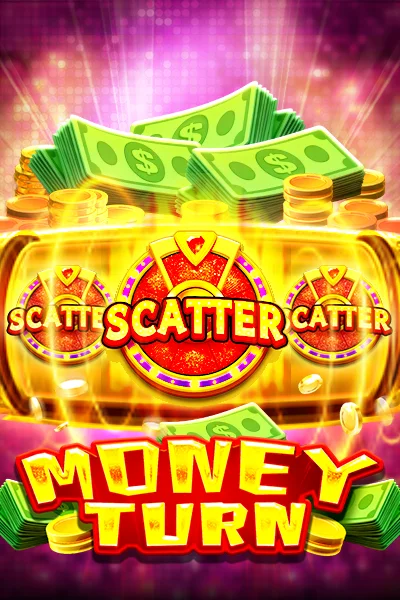
Tap Strike pairs well with Money Turn and Sanctuary of Magic. Money Turn gives you a slower slot baseline. Sanctuary of Magic shows how IDEAL handles deeper feature rules. Tap Strike sits between them as the quick-interaction check.
That comparison is important for searchers who are new to IDEAL Gaming. A studio can have strong art and smooth loading, but the best demo for you depends on how much speed, reading, and decision pressure you enjoy.
Signs The Game Fits You
Tap Strike is a better fit if the quick pace still feels understandable after several rounds. You should be able to follow the reward, see which action caused it, and stop without feeling rushed by the animation. If all three are true, the game may suit short mobile sessions.
It is a weaker fit if speed hides information. If you keep tapping because the next action appears immediately, but cannot remember how the last reward was calculated, the game is entertaining you without teaching you. In demo mode, that is a signal to slow down or move to a clearer IDEAL title.
Use Tap Strike as a phone test, not only as a game test. Some games feel fine in a browser window and worse on a small screen. Button placement, reward contrast, and number size matter because they affect whether you can make calm decisions.
Responsible Demo Notes
Fast games need stricter limits, even in demo mode. Virtual credits make Tap Strike safe to test on SlotLab, but the habit you are practicing still matters. Stop when your planned time ends, and do not treat a quick lucky run as proof that the game will behave the same way with real money elsewhere.